How To Turn Ideas Into Viral LinkedIn Posts
Chelsea has led content and brand at Close, Chili Piper, and Lavender, and she recently founded Castle Creative Studios, a fractional brand and content strategy studio for B2B SaaS.
Back in 2024 she told me she was using LinkedIn to get people to know the company she worked for through her personal brand. The long game, she said, was that maybe she’d do her own thing one day with the community she’d built. And she did. That’s why I say followers aren’t a vanity metric. They can grow the company you work for, or become the business you build next!
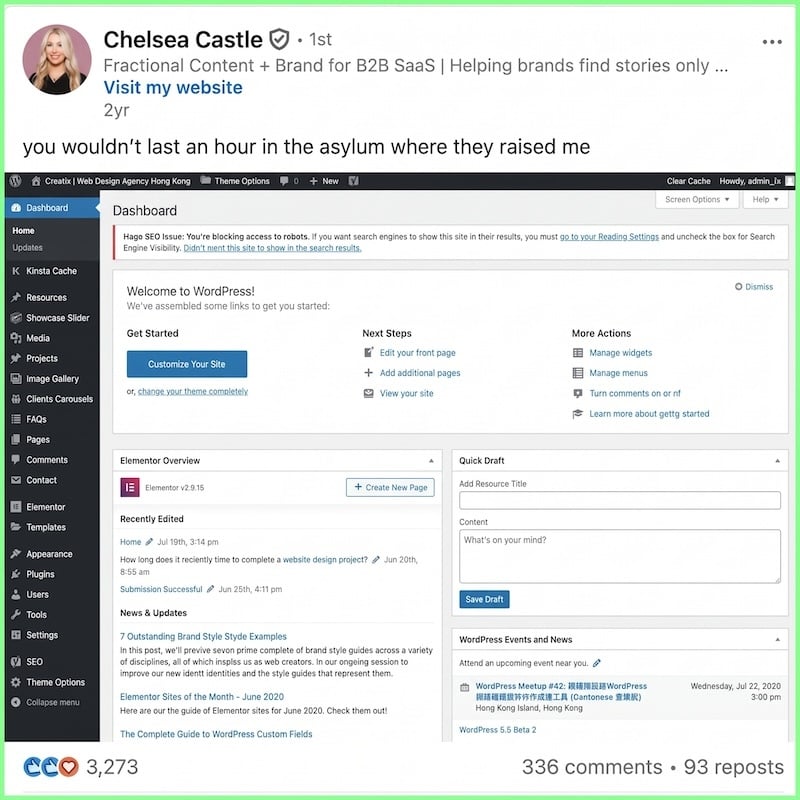
When I asked about her process, she laughed it off: “I don’t have a huge process or a strategy.” But she did walk me through a few habits, and they’re the reason that post with 3,700+ engagements exists at all. Here’s what she told me.
1. Save every idea (even the half-baked ones)
For someone without much of a process, Chelsea does one thing on purpose: she writes from abundance. She has pages of ideas across notes, Word docs, and Notion docs. When she finally sorted them, she counted 519 notes in her phone.
The Taylor Swift post was one of those ideas, and she’d had it for months. Your next big idea might be sitting in a pile like that right now.
Not all of it is finished. She has lots of half-written posts and ideas, for both her personal LinkedIn and her work. “It can be really overwhelming.”
So how do you find the diamond in the rough? That’s where AI comes in.
2. Use AI to organize your ideas, but pick the winners yourself
Chelsea exported her notes with a desktop tool and fed them to ChatGPT in chunks, since there’s a limit on how much you can paste in at once. It took a lot of prompting, but it helped her categorize everything. From there, she moved it all into a spreadsheet and filtered it by content type.
She also asked ChatGPT which ideas were funnier and which were stronger. “It’s not great at those things.” AI can organize the pile, but picking a winner is on you.
Once you’ve picked your idea, the next trap is waiting for the “right” time to post it.
3. Post when the idea is ready – don’t wait for the “perfect” time
Chelsea tries to post in the morning, so it hits everyone’s feeds as they’re logging on. But the TSwift post went up in the middle of the day, on a Friday. She says it doesn’t always matter, and she doesn’t have a huge method to her madness.
My take (from a lowly thought leader with a mere 206k followers): timing mostly matters when you’ve already posted that day. If you haven’t, post whenever, and it’ll work. But two posts on the same day end up competing with each other for reach. That’s why, if Chelsea has already posted, she schedules her next good idea for tomorrow.
One thing she influenced me on was using links in posts. I used to tell people never to put a link in a LinkedIn post. In theory, LinkedIn doesn’t want you to leave the platform (like a casino), but Chelsea has experimented a lot, and says a link doesn’t always hurt your reach if the post is good on its own. The post shouldn’t sell the link. It should give value on a related topic, and the link is the next logical step. What do you think, do links hurt reach?
4. Replay the hits
When a post hits, don’t let it be one and done. By my estimation, a decent post might only reach 10-20% of your followers, so most people never see it the first time. LinkedIn analytics ranks your posts by engagement, which makes your winners easy to find.
Chelsea told me she’d find old posts that worked and schedule them to go out again. Back then, I told her I’d guarantee the Taylor Swift post would work again if she reposted it in 90 days. I’m not sure she did, but you should.
Viral ideas aren’t going to post themselves…
Chelsea’s right that you can’t plan virality. But you can save the ideas, sort the pile, post when one makes you laugh or hits the right notes, and run it back when it works. Two years later, this is still the play.